Breaking

Showing posts with label Laptop. Show all posts

Tuesday, January 10, 2023

1/10/2023 08:40:00 PM

One Nation, One Charger: Will Type C chargers be required for phones and laptops in India? The common charger policy is in full

One Nation, One Charger: Will Type C chargers be required for phones and laptops in India? The common charger policy is in full

one-nation-one-charger-will-type-c-chargers-be-required-for-phones-and-laptops-in-india-the-common-charger-policy-is-in-full


The recent approval of the Common Charger policy in the European Union has led to discussions of its adoption in India.

With numerous phone manufacturers and models finally switching to the Type C charging connection in their smartphones, the Type C USB charger has become a standard in homes all over the world. The European Union's One Nation, One Charger policy is one of the factors contributing to this.


The One Nation, One Charger policy was recently adopted by the European Union, which mandates that all phones sold in the EU must have a Type C charging port and use the same universal charger. Soon, laptops will also be covered by this policy.

There are now discussions of implementing the One Nation One Charger policy in India as well, and the government is developing a strategy for doing so. While Apple products currently have a separate port, the bulk of Android phones uses a Type C port.

Will Indian phones and laptops require Type C chargers?

The One Nation One Charger policy has been promoted globally by the European Union, and various nations, including India, are actively working to develop a plan for its implementation.

The EU has recommended that the common charger policy be put into effect starting in 2024 and that it be extended to laptops starting in 2026. While the EU has advocated for Type C chargers to be used with all smartphones, India has a separate plan in place.

According to the policy, the Indian government intends to introduce two chargers: one for smartphones and one for feature phones. The smartphone will be charged using a Type C USB charger, which is the same for Apple and Android phones.

One sort of charging port will be practical for all smartphone users in India, it is predicted, once the Type C charger law is adopted nationwide.

Reasons to use Type C chargers

The Type C charger is not only one of the most widely used and accessible chargers in the world, but it also charges devices more quickly than standard USB chargers. It is also applicable to laptops, tablets, and a variety of wireless devices in addition to phones.


Additionally, Type C adapters are more widely available and far less expensive than normal iPhone chargers. India's e-waste will significantly decrease if Type C chargers become required.

Beginning in 2024, all phones made in the EU will be subject to the One Nation, One Charger regulation, which may shortly be extended to phones made in India.


Sunday, October 4, 2020

10/04/2020 04:24:00 PM

Laptop news: Forget about the new Surface Laptop Go - these are the laptops you ought to consider

Laptop news: Forget about the new Surface Laptop Go - these are the laptops you ought to consider

Laptop news Forget about the new Surface Laptop Go - these are the laptops you ought to consider


For all its style, Microsoft’s new budget laptop is lacking in oomph


(Image credit: Microsoft)

The Surface Laptop Go will probably wow customers initially, but when the dust settles, we'll all come to understand it's both unbalanced and overpriced.

Sure, some are going to be ecstatic to ascertain a tenth generation Intel Core i5-1035G1 processor powering a laptop with a touchscreen display. But look elsewhere and cracks start to seem.


First, there’s the quantity of system memory, which is significant to getting Windows and other memory-hungry applications to run smoothly. 4GB RAM is just not enough (even if it's LPDDR4x), especially because the integrated graphics will occupy up to 1 / 4 of that.

Ditto for the onboard storage; 64GB eMMC won’t cut it. Not only is it the slowest storage tier outside of hard disc drives, but the capacity is additionally criminally low.

Install Windows 10 and therefore the relevant updates and you will probably be watching 25GB already ring-fenced. Add within the incontrovertible fact that solid-state memory performance worsens as free storage shrinks and you have got a recipe for frustration.


Microsoft's other surprising choice is the inclusion of a screen with but two megapixels. The 12.4-inch PixelSense display features a resolution of 1536 x 1024 pixels, which equates to 1.57 million pixels altogether - a 3rd but full HD displays usually found on business laptops.

And perhaps a good bigger kick within the teeth for potential buyers - aside from the $550 tag - is that it doesn’t offer a fingerprint power button just like the remainder of the range.


Thursday, March 12, 2020

3/12/2020 05:12:00 PM

New Laptop Mac: New MacBooks that ditch Intel for Apple’s own CPU could arrive late 2020

New Laptop Mac: New MacBooks that ditch Intel for Apple’s own CPU could arrive late 2020

New Laptop Mac: New MacBooks that ditch Intel for Apple’s own CPU could arrive late 2020

Or by Q1 of 2021, fresh rumor asserts

Apple will release MacBooks which are powered by its own custom-designed ARM processors and that they might arrive before 2020 is out, consistent with a well-respected analyst.

Ming-Chi Kuo is usually on the cash – or a minimum of near – when it involves Apple products, and he believes that such MacBooks are going to be available in either the ultimate quarter of 2020 or the primary quarter of 2021.


  1. We’ve picked out all the simplest processors of 2020
  2. These are the simplest VPN for Macs
  3. Check out all the simplest cheap MacBook Pro deals


The information came during a research note highlighted by MacRumors, but sadly Kuo didn’t impart any longer details on which MacBooks might get this treatment. So we’ve no idea if he’s talking about the MacBook Pro, MacBook Air, or perhaps a completely new model, with those existing flavors sticking with Intel chips.

.
Kuo previously said that ARM-powered Macs wouldn’t debut until the primary half of 2021, so he appears to possess revised that timeframe slightly (again) with the likelihood of a late 2020 ARM MacBook launch.

Scissor switch

Kuo also recently asserted that Apple will obtrude refreshes of the MacBook Pro and Air which have the new scissor keyboards (rather than the butterfly switch) in Q2 of 2020.

And another recent prediction from Kuo is that the new MacBook Pro could have a scaled-up 14.1-inch flavor to travel with the larger 16-inch model introduced last year. Other rumors within the past have pointed to the present happening, too, because it is sensible for Apple to up-size the smaller model of the professional during a similar manner to its bigger brother.

Of course, speculation about Apple bringing in MacBooks with ARM CPUs has been floating around for an extended, long time.

Apple’s problems with Intel chips have included supply issues that seemingly caused a drop by Mac sales, and taking back control of the availability chain during this respect would obviously avoid such scenarios. the quantity of security flaws that have shown up in Intel silicon in recent times is probably going worry for Apple, too.

In short, there are good reasons for Apple taking back control of its chip destiny, which might just finally happen before the top of 2020.


source

Monday, June 3, 2019

6/03/2019 07:59:00 PM

New Update:Windows 10 users are careful – some default apps are showing scam adverts

These ads could trick you into a fraudulent purchase, or possibly worse


Windows 10 has been struck by a worrying problem in that some of its core (installed by default) apps are displaying fraudulent adverts which could potentially play all sorts of nasty tricks on the user.

As spotted by Ghacks and first highlighted on Microsoft’s German support site, a post has since appeared on the US Answers.com website clarifying the issue that affects apps including Microsoft News and Weather, and possibly other applications or indeed Microsoft services (MSN Money is also mentioned).


  • We show you how to defrag Windows 10
  • And how to install the Windows 10 May 2019 Update
  • This is the best antivirus software out there


These malicious banner adverts are being erroneously picked up by Microsoft’s ad servers and presented to the user. They contain some kind of bait to get the user to click them, either claiming that your PC is infected with viruses, or suggesting that you have won a lottery.

If clicked, they will take you to some malicious site which will seemingly try to sell you a ‘cure’ for the (non-existent) virus, drop malware on your machine (or perhaps both), or perform some other kind of nefarious activity.

A Microsoft moderator notes: “The fake virus warnings eventually direct to a download page for Reimage Repair, which is classified by Microsoft as the potentially unwanted application (PUA) but not detected as malware by Windows Defender at this time.

“A scan of the downloaded file at VirusTotal indicates nine different antivirus/antimalware programs detect it as malware and some may block the download or even the landing page for the download.”

Normally, these sorts of malicious ads should be policed and stripped out of Microsoft’s ad serving network, but evidently, these rogue banner ads are slipping through the net somehow.

Countermeasures such as Windows Defender SmartScreen should still block these, but as Microsoft notes, SmartScreen isn’t recognizing all the current malicious adverts out there, so is failing to defend against some of them.


The fake warning claiming that your PC is infected with viruses (Image credit: Microsoft)

Close and don’t click

The upshot is that if you use these core Microsoft apps and see any suspicious adverts, be careful not to click them. All you need to do is close the window offering the ad, and that should be the end of it, Microsoft advises.

It is possible for the more tech-savvy to block these ads at the DNS level, as Microsoft Support explains, “for example via a central ad blocker in the network like a Pinhole, you should block the following pages: * .adnxs.com / * .nuxues.com / * .vungle.com”.

Otherwise, the only thing to do is wait until Microsoft gets on the case and blocks the ad operators from running these banner adverts, which you would hope will happen sooner rather than later.

One of the major reasons to upgrade to Windows 10, of course, is that the newest OS is sold as being more secure than Windows 7/8.1, so glitches in the default operating system’s apps are a bit embarrassing for Microsoft to say the least.


READ MORE:

Sunday, December 16, 2018

12/16/2018 10:59:00 PM

Next-gen mobile AMD Ryzen processors spotted in laptop benchmarks

Five new CPUs listed so far


On top of a full range of Ryzen 3rd Generation desktop processors, it looks like AMD already has a few mobile CPUs inside upcoming laptops.

Hexus spotted Geekbench results for three different AMD Ryzen 3000 Series Picasso APUs fitted inside two classified HP laptops. First up is the HP Laptop 17-ca1xxx equipped with an AMD Ryzen 5 3500U, which is listed as a 2.1GHz quad-core processor featuring eight threads and Radeon Vega Mobile Gfx integrated graphics.

A second HP Laptop 17-ca1xxx showed up in GeekBench’s records twice but equipped with a different AMD Ryzen 3 3300U CPU. It seems to be a small step behind the chip listed above as it only has 4-cores, 4-threads running at 2.1GHz with Radeon Vega Mobile Gfx integrated graphics.

Lastly, the HP Laptop 14-cm1xxx showed up with a 2.6GHz MD Ryzen 3 3200U that appears to be a dual-core processor featuring 4 threads and Radeon Vega Mobile Gfx integrated graphics.

Geekbench results are always a little shaky, but TUM_APISAK also corroborated the report by tweeting out the same processor names along with a two additional chips.

Interestingly, the serial leaker noted there will be a high-end Ryzen 7 3700U CPU equipped with 4-cores, 8-threads running between 2.2GHz and 3.8GHz base and boost frequencies, respectively. The 300U was also listed as an extremely low-end 300U chip that might be destined for the first AMD-powered Chromebooks.

Digging into the details listed on the GeekBench results seem to reveal that upcoming Picasso APUs will pair 12nm FinFET Raven Ridge CPUs with Vega GPUs. So these chips may technically be part of an extended Ryzen 2nd Generation family due to its use of the 12nm Zen+ architecture.

At CES 2019, we fully expect AMD will announce its hotly anticipated 7nm Zen 2 architecture that should be the foundation of the company’s next Ryzen 3rd Generation and Ryzen Threadripper 3rd Generation processors.

Meanwhile, Intel just announced its 10nm Sunny Cove architecture


Saturday, November 3, 2018

11/03/2018 07:31:00 PM

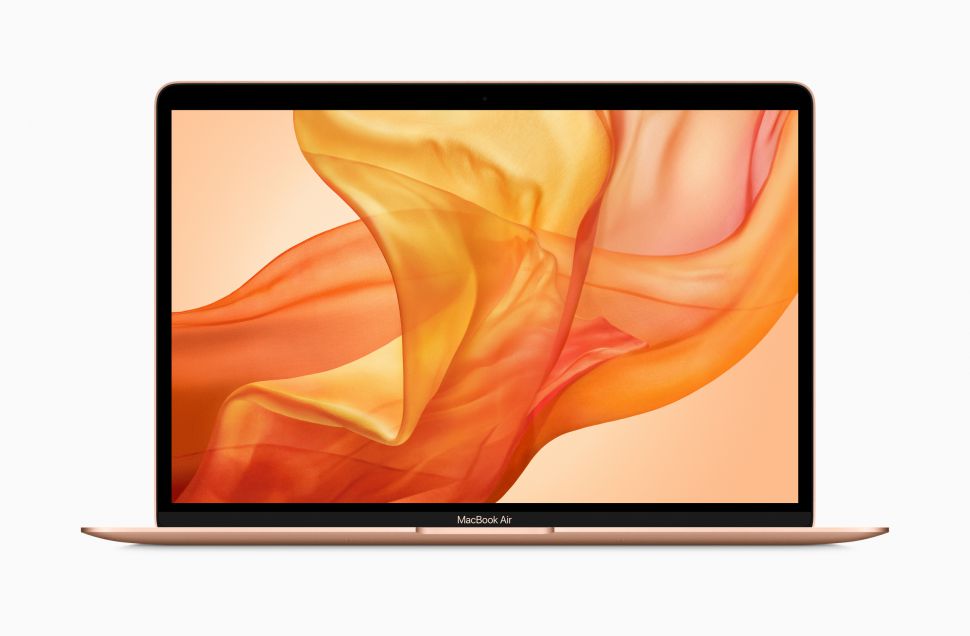
Macbook Air 2018 Benchmarks Show 28% Performance Increase Over Last Year’s Model

But is that enough?


Apple officially unveiled the MacBook Air 2018 on Tuesday, October 30, and benchmark results have emerged on the internet that show a noticeable improvement over 2017’s MacBook Air, though some people may feel the boost doesn’t go far enough.

The Geekbench results, which are a benchmark used by many people (us included) to test the processing power of computers, show that the new MacBook Air 2018 with Retina display sporting a 1.6GHz dual-core 8th-gen Intel Core i5 processor scores 4,248 in the single core test, and 7,828 in the multi-core test.

As 9to5Mac observes, this is around 27% and 28% faster than the single core and multi-core scores of the MacBook Air 2017, respectively.

This means you’re certainly going to get a better performance out of the new MacBook Air compared to last year’s model, though some people may be disappointed to see that the leap isn’t quite as drastic as they hoped.

Power profile


The MacBook Air 2018 is 20% more powerful than the 12-inch MacBook in single core Geekbench tests, and 17% faster in multi-core scores.

The 9to5Mac website also compared the scores with the MacBook Pro 2017 without Touch Bar, which scores roughly the same as the new MacBook Air when it comes to single-core performance, but is about 16% faster than the MacBook Air when it comes to multi-core performance.

However, the MacBook Pro 2017 is around $100 (£80, AU$140) more expensive than the MacBook Air 2018, which makes the newer Mac a much more compelling purchase.

Against the new MacBook Pro 2018, however, the MacBook Air 2018 doesn’t stand a chance, with multi-core scores being almost double in favor of the Pro. This shouldn’t be too surprising considering the more expensive nature of the MacBook Pro, which is geared more towards professional use cases.

While Geekbench (or any benchmark scores, for that matter) don’t show the whole picture when it comes to performance, these scores at least give us an idea of where the MacBook Air 2018 sits when it comes to MacBook performance.

We’ll have our full MacBook Air 2018 review up next week, where we’ll take a closer look at what kind of performance we can expect from Apple’s latest laptop.


SOURCE:

Thursday, October 25, 2018

10/25/2018 01:03:00 AM

Apple’s Macbook Air 2018 Could Arrive on October 30

According to speculation stemming from a recent education sector order


Speculation has bubbled up indicating that Apple could be introducing a refreshed MacBook Air – or a replacement for the aging laptop – at its press event on October 30.

The story as detailed by 9 to 5 Mac is that a school recently ordered an iPad and Apple Pencil alongside a MacBook Air, with Apple fulfilling that shipment, all aside from the notebook which the customer was notified will be delayed – and is expected to ship on October 30.

As mentioned, that’s the same day Apple is holding a press launch in New York, and putting two and two together, this seems to indicate that a fresh machine replacing the MacBook Air will be revealed on the day – and can then ship to that education sector customer.

Of course, this is far from any guarantee, and it could just be a plain coincidence or momentary inventory blip somewhere in the pipeline.

However, with Apple having been long expected to do something on the stale MacBook Air front, it’s certainly a believable piece of speculation that a refresh or replacement is indeed coming at the end of October.

Ancient Air

The current MacBook Air is a seriously dated device and is certainly long overdue an overhaul on the hardware front. If that comes, it’s unlikely to be a minor upgrade to the components, but rather, a more thorough rethink.

Or indeed a more wallet-friendly 13-inch Retina MacBook could emerge, effectively making the MacBook Air redundant and seeing it scrapped (rumors along these lines have been swirling since the very beginning of this year).

Another interesting nugget here is that the school ordered the higher-spec 256GB MacBook Air, and was charged $1,199 (around £930, AU$1,690) with education-related discount, suggesting that this could be a ballpark figure for the cost of the new machine.

Although that really is veering off into speculative territory, it does point more to the emergence of a 13-inch Retina MacBook at that cost, with a more budget-friendly model being introduced (or re-priced, rather) at the entry-level.

At least we’ll know what Apple has up its sleeve on the MacBook front very soon, as there’s less than a week to wait for the press event now.


SOURCE:

Monday, October 22, 2018

10/22/2018 07:46:00 PM

Asus NovaGo ARM-powered Windows 10 laptop finally goes on sale in the UK

An innovative Windows laptop first announced in December 2017 is now, at long last, available to British buyers. But will the NovaGo's 22-hour battery life and always-on LTE connection be enough to open many wallets?


Asus's long-awaited ARM-powered laptop finally went on sale in the UK on Oct. 19, promising around 22 hours of battery life with an always-on LTE mobile connection. The NovaGo comes bundled with a 24GB data sim, so buyers can start using it straight away, though they'll need to make their own arrangements for long-term use.

Initial stockists include John Lewis, BT, and the Microsoft Store. Asus will also be selling it direct from its online store.

The NovaGo's long battery life -- which could last you two or even three days -- comes from using Qualcomm's Snapdragon 835 Mobile PC platform instead of an Intel processor. The NovaGo also has Wi-Fi, of course, but Qualcomm's Vikrant Jain said NovaGo's built-in X16 LTE connection was "much better than the experience of Wi-Fi at most places". It's also more secure.

ASUS NovaGo

Microsoft first tried Windows-on-ARM way in 2012 with the launch of the Surface RT. While users loved the device, there were not many of them, and it was a spectacular billion-dollar failure.

However, things have changed since then. ARM chips have got faster, LTE mobile connections are much faster, Windows 10 has more smartphone-style apps, and the new machines have a just-in-time emulation system that -- unlike the Surface RT -- runs traditional Windows programs.

Unfortunately, these "Always Connected Devices" have been slow to reach the market.

It's almost a year since Microsoft announced the first two: the Asus NovaGo and an HP Envy x2. Systems have been shown at CES -- including Lenovo's entry, the Miix 630 -- and other trade shows since then. But also since then, Qualcomm has launched the Snapdragon 845 and 850 processors, while ARM has promised a 35-percent increase in single-core performance with the new Cortex A-76 design -- used in the forthcoming Snapdragon 855 Fusion -- which should appear in devices next summer.

The Snapdragon 835 sounded quite exciting in January 2017. Today, it doesn't.

HP's Envy x2 at least made it to the UK market in the spring, though you could be forgiven for not noticing. The £999 price tag put it out of contention for most users, even though that included a detachable keyboard and Active Pen. The price has now come down to £849, but you can get a much faster Intel laptop for that sort of money. (The Miix 630 is still listed as "coming soon" in the UK, but it's $899.99 in the USA.)

The Asus NovaGo TP370 differs from the HP and Lenovo models in that it isn't a detachable 2-in-1 but a 13.3in touch-screen laptop with a 360-degree hinge. This also means it's not particularly light at 1.39kg. And while it's cheaper than HP's Envy x2, the NovaGo still costs £699, which is getting into Zenbook territory.

You could buy a faster Intel laptop for around half the price, so you're paying a hefty premium for the LTE connection and long battery life.

You could, of course, argue that people pay £699 or more for smartphones, but that's not quite how it works. Most of the phones that used the Snapdragon 835 -- such as the Samsung Galaxy S8 and Google Pixel 2 -- are old news, and you can now get the same processor in a Nokia 8 smartphone for £259.99.

Of course, most unfairly, this overlooks the NovaGo's other features including the large screen, 6GB of memory, 128GB of storage and two USB-A 3.1 ports.

Apart from the price, there are also doubts about the efficiency of the Win32 emulation on the Snapdragon 835. Not having tried it, I went to Asus UK's press conference to get a hands-on. Unfortunately, Asus was running systems in Windows 10S mode (upgradeable to Pro), with only Microsoft Office and Windows Store apps loaded. We weren't given the chance to try, for example, Adobe Photoshop or even Google Chrome.

In theory, I like the idea of ARM-based Windows 10 laptops, and in theory, Windows 10S laptops can compete with Chromebooks. In reality, the people who want a laptop want at least the same power as an Intel laptop for the same money, and people who want Chromebooks want them at around the same price as Intel Chromebooks. What nobody wants is ARM Chromebook power for an Intel laptop price, which is what Snapdragon 835 machines seem to offer at the moment.

The NovaGo TP370 would be much more attractive at double the power or half the price, preferably both. That's not inconceivable, but it may take a while.


SOURCE:

Saturday, October 20, 2018

10/20/2018 07:24:00 PM

Apple MacBooks with custom ARM processors may not show up until 2021

Famed Apple analyst Ming-Chi Kuo reads the tea leaves


You'll likely have to wait longer than previously expected to buy Apple’s MacBooks with a 100% Apple-made (and ARM-supplied) silicon inside, according to the foremost Apple analyst.

It may be 2020 or even 2021 before we see the first ARM-based Apple computers released, says TF International Securities analyst Ming-Chi Kuo, reports 9to5Mac.

All reports up until this point regarding what’s known as Apple’s ‘Kalamata Initiative,’ the firm’s big project to get its computers onto its processor platform, stuck rather closely to a 2020 debut for the end products.

In the prediction, Kuo notes that Apple stands to profit even more from its Mac sales without the need to purchase processors from Intel, something it’s done for more than a decade now. So, the incentive for Apple to complete this project is massive.

This analyst projection follows reports from Bloomberg and The Oregonian, both of which seeming to corroborate the same information.

For those concerned about a loss in performance from a computing brand said to pride itself on power and portability, we have seen even the Apple A10X produce numbers close to that of the latest Intel processors in tests like Geekbench 4 – and Apple is now up to the A12 Bionic in the iPhone XS, iPhone XS Max, and iPhone XR. The iPad Pro 2018 it supposed to feature an even more powerful A12X Bionic chip.

However, one major piece that we can’t wait to see unfold is how Apple will handle supporting the swathe of productivity apps currently built for Intel processors using the x86 instruction set on its ARM-based processors. Microsoft and Qualcomm have had a rough time of that, so godspeed, Apple.


SOURCE:

Friday, October 12, 2018

10/12/2018 09:27:00 PM

Pixel Slate: Do Google's specs, prices, or platform threaten the iPad and Surface?

Google's Pixel Slate is the latest entry into a tablet market already dominated by the likes of the iPad and the Surface. Does the Pixel Slate have what it takes to stand its ground?


Google unveils a new tablet and of course the first thing we techie watchers want to do is to do is compare it to the competition and rate its chances of surviving a year.

That's a natural thing to do.

In fact, my first thought was that this thing seemed like a knock-off Surface, and another attempt by Google to grab a tiny sliver of the tablet pie, most of which is being wolfed by Apple's iPad, now that Android tablets have essentially sunk into irrelevance.

On the tech specs front, the Pixel Slate is impressive:


  1. Display: 12.3-inch Molecular Display
  2. Processors: Intel Celeron/8th-gen Core m3, 8th-gen Core i5, 8th-gen Core i7 processors
  3. RAM: 4GB, 8GB, or 16GB
  4. Storage: 32GB, 64GB, 128GB, or 256GB
  5. Audio: Dual front-facing speakers, two microphones for noise cancellation
  6. Operating System: Chrome OS
  7. Materials: Aluminum and Corning Gorilla Glass 5
  8. Color: Midnight Blue
  9. Battery: 48Wh battery, with fast charging support (up to 2 hours in 15 minutes of charge)
  10. Camera: 8 MP with wide FOV
  11. Wireless: Wi-Fi: 802.11 a/b/g/n/ac, 2x2 (MIMO), dual-band (2.4 GHz, 5.0 GHz), Bluetooth 4.2
  12. Security: Fingerprint Sensor
  13. Sensors: 3-axis Gyroscope/ Accelerometer
  14. Ports: Two USB-Cs for charging, 4K display output and quicker data transfer; an Accessory connector for Pixel Slate Keyboard
  15. Dimensions: 11.45 in (290.85 mm) by 7.95 in (202.04 mm)
  16. Weight: 1.6 lbs (721 g)


Prices start at $599 for a Celeron model with 4GB of RAM and 32GB of storage and go all the way up to $1,599 for the Core i7 equipped model with 16GB of RAM and 256GB of storage.

Pre-order now: $599 Home Hub from Google Store
So how does this stand up against the iPad or Surface? Well, I could spend a lot of time (an awful lot!) comparing processors and displays and how much flash storage each tablet has to offer. But I won't.

Why?

Because there's no point.

It's not down to the hardware. Well, the price is always a factor, but with the bases covered from $599 to +$1,000, there something to everyone outside of those looking for something cheap.

It's all down to the operating system, the Google name, and the differentiation. At the launch event Google pushed artificial intelligence, Google Assistant, and the Chrome OS as what separates this from the competition, and it's success -- or failure -- will hinge on the adoption of these technologies.

And, let's be honest, Google is in with a chance here. It's held its own in the face of strong opposition with Chromebooks, and the company has managed to get Android into pretty much everything.

While I don't think there's any danger of the Pixel Slate unseating the iPad and let's not even give airtime to the "iPad killer" thing, Google could have a platform here -- and that's how we need to be looking at this, as a platform -- that could be disruptive.


SOURCE:

Thursday, October 4, 2018

10/04/2018 09:31:00 PM

Microsoft's Surface All Access a bet that Hardware as a Service can Work (with an Office 365 assist)

Microsoft Surface All Access is another attempt that a leasing/subscription model can be appealing for mainstream hardware customers.


Microsoft unveiled its Surface Pro 6, Surface Laptop 2 and Surface Studio 2 and another attempt to sell its hardware with a subscription model--this time with a bet that Surface hardware plus Office 365 will change buying behavior.

While Microsoft's new systems garnered attention as well as new headphones, perhaps the more interesting item was a program called Surface All Access. For context, Surface All Access replaced a program called Surface Plus, which was a financing effort that ended Aug. 31, to move more Surface devices. Surface Plus replaced Surface as a Service.

Add it up and Microsoft is developing a regular Surface financing cadence. Every year, Microsoft makes a new attempt of selling Surface devices as a subscription bundle. If at first, you don't succeed...

In any case, Microsoft's Surface All Access appears to be a bet that Office 365 bundled with hardware will be appealing along with Windows 10. The program is offered through Dell Financing and rhymes with the financing models deployed by telecom providers. Given that smartphones are just as pricey as laptops--and more so in some cases--a 24-month financing option makes sense.

The Surface Pro 6 starts at $899, the Surface Laptop 2 starts at $999 and the Surface Studio 2 at $3,499.

Will consumers and small businesses bite? It's unclear. Surface All Access faces a bit of a cultural issue in that folks are used to buying and owning PCs. Desktop as a service models haven't exactly taken off in the enterprise so the consumer and SMB hurdle may be even higher.


Enter Office 365. Given that Office 365 will run you $10.99 a month as an individual, a joint Surface-Office bundle starting at $24.99 may not be a stretch. However, that $24.99 price is for a Surface Go and Office 365 bundle.

The monthly rates go up from there. Consider:


  • A Surface Book 2 bundle starts at $54.96 a month with no money down and support. The Dell Preferred Account service underpins the subscriptions.
  • The Surface Pro Bundle starts at $47.87 a month along with your choice of Type Cover and Office 365.
  • A Surface Laptop bundle starts at $46.63 a month.
  • And the Surface Studio bundle starts at $150.79 a month.
  • Aside from the Surface Studio bundle, which is available Nov. 15, these Surface All Access bundles are available Oct. 16.
Customers of Surface All Access have to apply for a Dell Preferred Account, choose a bundle and then select Dell Preferred Account at checkout.

Will Surface All Access work? Maybe. If not, Microsoft is likely to have a new plan next year. Microsoft is convinced that a leasing and/or subscription approach will work for its hardware. And Microsoft historically has been quite persistent.
10/04/2018 07:36:00 PM

The One Serious MacBook Pro Security Flaw that Nobody is Talking About

Every MacBook since 2015 and every MacBook Pro since 2016 is at risk. Here's how you can keep your machines safe.


One of Han Solo's trademark lines was "I've got a bad feeling about this." Ever since I started thinking about getting the 2018 i9-based, 32GB MacBook Pro, I've been having a bad feeling, but I couldn't put my finger on what it was.

Yes, there have been discussions about performance throttling based on how hot the machine gets. And yes, there's always the discussion of the butterfly keyboard.

Even if every other precaution has been taken, the mere necessity of keeping the devices charged up puts machines at risk.

Plus there's the lack of ports. I make active use of the USB 3.0 and Thunderbolt ports, as well as the SD card slot on my 2015 i5-based MacBook Pro.

But it's not any of those concerns. I'm aware of them. It's been something else. Something serious. Something that can be trouble for any modern MacBook Pro user. But for weeks, I haven't been able to identify what was causing the tickle on the back of my neck.

Then, last night, as I plugged my current MacBook Pro into its snuggly MagSafe 2 power connector, I thought, "I'm going to miss the convenience of this." And then it came to me.

It's the USB-C ports. Because of the USB-C ports, all MacBook Pros introduced since late 2016 are inherently unsafe. Likewise, all of the 12-inch MacBooks introduced since 2015 are inherently unsafe.

IT'S ALL ABOUT THE POWER

Okay, follow along with me. With my 2015 MacBook equipped with a MagSafe port, if I want to charge the machine, I just plug it in. There's no risk of a data connection. As long as I have networking off and nothing plugged into any of my ports, I'm safe. I'm air-gapped from the rest of the world.

MacBooks before 2015 and MacBook Pros before 2016 could charge without any risk, as long as everything else was off, empty, or disconnected.

Prior to the USB C-only MacBook Pros, at least charging the device wasn't a possible hacking vector.

But with the MacBook from 2015 on, and for the MacBook Pros from 2016 on, the only way you can charge the notebook is by connecting to a USB-C port.

That's right. In order to charge the machine, you must connect to a port capable of transferring data. You have no choice.

For Apple, a company whose enhanced security has been one of its main selling points for years, this is a short-sighted, potentially brand-damaging, and dangerous decision.

IN EUROPE, IT COULD BE WORSE

To be fair, this has long been a problem with iPhones (until the iPhone 8 and X who allow wireless charging). To charge an iPhone via cable, you've always had to plug in a data-capable connector, whether it was the old 30-pin dock connector or the Lightning connector.

For other smartphones, the problem is similar, although most phones used micro USB connectors, and now, most use USB-C connectors.

From a security point of view, wireless charging, like that on the newer iPhones and Galaxy S9, can be a substantially safer way to go, because you're able to charge the devices without ever plugging in a data-capable cable.

Of course, at least for Android devices, there are still serious malware threats that can enter the device via text, email, browsing, and p0wn3d apps, but at least one path of least resistance can be closed up.

In Europe, though, USB-C could be a real problem. The EU is considering mandating a switch to USB-C as the standard connector for all phones.

While this type of standardization does have its benefits, if the EU extends its USB-C demands to notebook computers, those computers that still charge with external, dedicated charging connectors might be forced to use a data-capable connector for charging.

While Apple has moved all its notebooks to USB C-based charging, many Windows-based laptops can still be air-gapped while charging.

WHY WORRY ABOUT THIS

I kind of like to use the adapters and dongles that come with the products I buy. Maybe you do, too. At this point, though, I'm willing to bet that most of us have a bin of dongles, adapters, and cables of uncertain origins. It's not unusual to borrow cables, dongles, and chargers when we're caught with our batteries down.

That was all well and good back when MacBooks required Apple-made chargers. Even then, there were aftermarket providers. But now, you're expected to plug your USB-C adapter into a MacBook Pro on one side, and into a possibly random USB charger on the other. That's where the trouble begins.

As far back as 2013, CBS News reported on fake Apple chargers (in this case, for iPhones). Last year, I wrote about how USB chargers are available that not only charge devices, but spy on you. Spying isn't the only problem. Many of the fake brand name or inexpensive aftermarket chargers are unsafe as well. Such chargers can cause shocks or even fires.

This is such an ongoing problem (even with Lightning cables) that Apple has a page dedicated to explaining how to identify counterfeit chargers.

Now, let's take the risk up a notch. Apple products are in active use in some very sensitive operations. Back in the day, President Obama was known to use both an iPad and a MacBook Pro.

In 2016, the US Department of Defense may (or may not) have dodged this bullet. In June of 2016, the DoD awarded an IT contractor $5,245,064 for the purchase of roughly 2,000 MacBook Pros.

The performance date of the contract shows that the award period was between June and September 2016. Since the first USB-C equipped MacBook Pros were announced in October of that year, and volume shipping took until December, the DoD may have been delivered pre-USB-C devices. On the other hand, since nothing in the government runs on time, it's entirely possible that thousands of those machines plug into the wall via a USB-C connection.

Of course, the government isn't alone. Some very large, recent Mac deployments include thousands of Macs sold to GE, IBM, SAP, and Capital One.

The scenario is troubling. All that has to happen to corrupt some of these massive deployments is the substitution of a USB charger. Even if every other precaution has been taken, the mere necessity of keeping the devices charged up puts machines at risk. Prior to the USB-C-only MacBook Pros, at least charging the device wasn't a possible hacking vector.

There's no doubt there are many different ways for malware to penetrate the enterprise. But there once was a time when the mere act of charging was safe. Now, with MacBooks and MacBook Pros, even that's a potentially serious security risk.

HOW TO STAY SAFE

Here's what I recommend. If you must buy mobile Macs, make sure you buy your spare or replacement power adapters directly from Apple. As long as the company is careful with its supply chain, you can be reasonably assured of staying safe. Even buying from Amazon might not be as secure.

As for your phones -- especially if you work in a high-security environment -- you, too, would do well to buy your USB adapters directly from Apple. If you're in the DoD, the White House, or in an environment where a hack could be devastating, toss out those no-name imported adapters and buy your dongles from the vendor who makes your phones.

Beyond dongles and adapters, there's a wide range of best practices for keeping your devices safe. That's beyond the scope of this article but read around on ZDNet, TechRepublic, and CNET for tons of great advice.

MY NEXT MAC PURCHASE

As for me, my once-powerful 2013 iMac definitely needs to be replaced. While the new i9 MacBook Pro could do the job, I don't really need another notebook. What I really want is an updated Mac mini with pro specs. Since we're expecting the next set of Mac announcements near the end of this month, I'll hold off buying at least until then.


SOURCE:

Wednesday, October 3, 2018

10/03/2018 09:25:00 PM

Windows 10 laptops: We've just reinvented PC with world's first leather 2-in-1, says HP

The Spectre Folio convertible laptop's leather-bound design is part of HP's drive to make technology more human.


If you're looking for a laptop that feels warmer to the touch than aluminum and yet comes with the added aroma of leather, HP's new Spectre Folio convertible PC has you covered.

The PC maker claims to have reinvented the PC with the Spectre Folio's design, which features 'cognac-brown' or 'Bordeaux-burgundy' leather surrounding the keyboard and trackpad, and a leather cover that makes it look more like a fashion accessory yet is functionally an integral part of the convertible's tablet and tent positions.

With the extra weight and bulk of leather, HP has worked to ensure it remains a thin and light design. To achieve that goal, it's employed "one of the smallest motherboards in the industry" and Intel's 8th Gen Core i5 and i7 Y-Series CPUs.

The Core i7 model also includes an Intel gigabit LTE chip, making it an Intel-based alternative to the lower performance but long battery life Snapdragon Arm-based mobile PCs in Microsoft's Always-Connected class of PCs. HP says the Spectre Folio has an 18-hour battery life.

The Spectre Folio LTE version will work on AT&T's and T-Mobile's networks, with Sprint support coming soon. Verizon is not available, according to HP.

HP's new leather-clad convertible can be bought with up to 16GB of RAM and up to 2TB of SSD storage.

The models are currently available with 13.3 FHD touchscreen screen with 1,920 x 1,080 pixels. However, HP is also planning to release a 4K UHD display panel in December. An HP digital pen is included and the keyboard is backlit.

According to HP's Global Head of Design Stacy Wolff, the Spectre Folio is a product of the company's exploration into making technology more human, which includes giving it a smell that creates a memory.

"Have you sniffed your PC recently?" Wolff asked. "Other than a whiff of ozone, they generally really don't have a smell, there is no memory associated with them. It's pretty cold. We wanted something that offered more than that, and that was our mission."

The cognac-brown Spectre Folio with a Core i7 CPU will be available from Best Buy stores and its website from October 29.

The model with a Core i5 processor without LTE will start at $1,300, while the Core i7 model with LTE will start at $1,500. HP expects to release the Bordeaux-burgundy option in late December.

hp20spectre20folio20-20open20with20pen.jpg
The HP Spectre Folio's design features cognac-brown leather around the keyboard and trackpad and a leather cover.


SOURCE:

Tuesday, October 2, 2018

10/02/2018 11:01:00 PM

Was a black Surface Laptop 2 leaked in Netflix’s Iron Fist?

Could have been a sighting


Rumors of Microsoft preparing to launch a new Surface Laptop 2 device at its October 2 press event have just been bolstered from an unusual source: Netflix’s superhero show Iron Fist.

As the eagle-eyed journalists of German website WindowsUnited.de report, at around the 50:54 mark of the first episode of Netflix Iron Fist Season 2, a character is seen using a black laptop-like device with Microsoft’s logo on the back – the same one stamped on the company’s range of Surface products.

Product placement in high profile TV shows and movies is commonplace, but it’s rather unusual for a product that hasn’t been officially released to make an appearance.


We only get a very brief glimpse of the device so we wouldn’t call this concrete evidence, but with rumors swirling that Microsoft is planning on releasing a black Surface device, apparently known as 'Surface Black' internally, this could be a little hint of what’s to come.

Price Tags

Meanwhile, another rumor suggests that the Surface Laptop 2 and the Surface Pro 6 will make an appearance at the event on October 2, and while both machines will offer updated specifications, they could cost the same as their previous generation predecessors.

This is welcome news and comes courtesy of Winfuture’s Roland Quant, who tweeted that we’ll see the two devices at the same price as before. He also notes that we won’t see any other hardware.

About Microsoft's hardware event on Oct 2: expect Surface Pro 6 and Surface Laptop 2. At the same prices as before, with updated hardware. And likely nothing else.September 26, 2018

We don’t have long to wait to find out how accurate these leaks are, and we’ll be at Microsoft’s event reporting live on whatever the company has to show.


SOURCE TechRadar:

Sunday, September 30, 2018

9/30/2018 09:27:00 PM

Quad-Core Vs Dual-Core: what's the best for your Laptop?

Jargon explained


Buying a new laptop can be a complex and sometimes confusing experience, and it’s not helped by the hefty amounts of jargon that swirl around the process.

When buying a new laptop you should always look at the specifications to see what kind of hardware the laptop uses, and it’s here that you’ll often see references to dual-core or quad-core processors. But what are they?

Dual-core processors arrived on the scene in 2005 and made a huge impact on computers and laptops. Having a multi-core processor means that computers are able to multitask much better, allowing you to run numerous applications and perform intensive tasks all at the same time.


It’s a bit like having two (or four) processors at once, but without the extra power requirements. That’s why multi-core processors are such a great fit for laptops, as they allow modern laptops to be even more powerful while remaining thin, light and with good battery life.

So, the more cores the processor has, the better it is at multitasking, and the more powerful and faster the laptop will be.


Clock speeds

Another specification you’ll see when buying a new laptop or computer is the clock speed of the processor. This is measured in gigahertz (or megahertz for lower-powered or older hardware). Without getting too in-depth and complicated, a processor with a higher clock speed will generally perform better.

However, the faster the clock speed, the more power the processor requires, and the more heat it produces. This means laptops that use processors with faster clock speeds could have shorter battery lives (unless they have bigger batteries, which increases the size of the device), and will need better cooling solutions to keep the processor from overheating (which again can mean a larger laptop, with more fans that produce more noise).


You may also notice that processors with more cores have lower clock speeds. So, what’s better? A high core count or a faster clock speed?

Generally speaking, it depends on what you’re going to use your laptop for. If you’re using it for light use, where you’re just performing one task at a time, such as working on a document or browsing the internet, then you’ll probably find that a laptop with a dual-core processor and a higher clock speed will give you the best performance.

However, if you’re looking to use your laptop for more intensive tasks, as well as multitasking in a number of different applications at once, then a laptop with a quad-core (or higher) processor with a slower clock speed will probably be more beneficial.

Price vs performance


It’s also worth noting that laptops with quad-core processors are usually more expensive than laptops with dual-core processors. This is an important aspect to consider because you don’t want to spend money on a level of power that you won’t use. At the same time, you don’t want to settle for a laptop that won’t be powerful enough for your needs.

Striking the right balance between price and performance is essential, then. If you’re after a budget laptop for light day-to-day tasks, then a dual-core laptop will be fine. If you want to play, record and stream games, or work in multiple applications at once, then a quad-core, or higher, the laptop will be a worthwhile investment.

Should you go higher than quad-core?


While laptops with dual or quad-core processors are very popular, there is an increasing number of high-end laptops with hexa (six) and octa (eight) core processors.

These laptops provide even better multitasking performance compared to dual- and quad-core laptops, but they also come with higher prices. You’ll unlikely find a hexa- or octa-core processor in a budget laptop. Instead, they are reserved for more expensive premium laptops.

You should also consider whether or not you need that level of power. For most people running regular tasks on their laptops, then this will be overkill. However, if you really want to future-proof your laptop, and you have the budget, then going for a laptop with a very high core count processor should be a consideration.


SOURCE Techradar:

Monday, September 3, 2018

9/03/2018 04:32:00 PM

Windows 10 laptop with 25-hour battery life? Lenovo shows new Yoga line-up at IFA

Lenovo unveils a mix of 2-in-1 hybrids and novel laptops at the Berlin tech conference.


Lenovo has revealed its new line-up of Yoga machines, including a Windows 10 laptop it says has a battery life of over 25 hours.

The new Yoga computers were unveiled at the IFA Conference in Germany this week.

YOGA C630 WOS


According to Lenovo, this Arm-based Windows 10 laptop offers more than 25 hours of battery life, based on tests where it played looping video on the machine's HD display.

Alongside the usual wi-fi connectivity, the 13.3-inch Yoga C630 WOS can also connect to the internet over cellular networks, using its integrated 4.5G LTE Advanced Pro chipset.

The Yoga C630 WOS runs on the eight-core Qualcomm Snapdragon 850 mobile computing platform, and possible downsides are performance and compatibility when compared with typical Intel-based Windows 10 laptops.

Tests of earlier Qualcomm Snapdragon-based Windows 10 laptops found sluggish performance and that not all Windows apps would work. That said, these machines were based on an earlier Qualcomm chipset, so the Snapdragon 850 may resolve these performance issues.

The Yoga C630 WOS will be available from November with a starting price of $850.

YOGA BOOK C930


The most distinctive feature of the C930 is its dual-display, featuring an E Ink touchscreen that serves as the keyboard but which can also be used for notes, sketching, or as an e-reader.

In a hands-on with the laptop, ZDNet's sister site CNET found the virtual keyboard to be better than on the first-generation YogaBook but still lacking the responsiveness and feedback of a physical keyboard.

CNET also highlights the device's limitations as an e-reader due to the E Ink display currently only supporting PDFs and not the proprietary formats used by Amazon's Kindle e-books. The nature of the E Ink display also prevents its being used as a second screen for the Windows desktop.

The Windows 10 laptop will be available with Intel Core m5 and i5 processors, will have a 2,560 x 1,600 primary display, and Dolby Atmos speaker support. Lenovo is promising up to 10 hours of battery life.

The YogaBook C930 will be available from the end of September with a starting price of $999.

YOGA C930


Unlike its YogaBook brother, this 2-in-1 Windows 10 machine sports a physical keyboard and is available with higher specs.

The laptop offers an HD or 4K display, both with Dolby Vision HDR support, and an 8th-generation Intel Core processor up to an i7.

Lenovo is touting the laptop's 'rotating sound bar', which supports Dolby Atmos, while the machine's 'far mics' allow Amazon's Alexa and Microsoft Cortana's virtual assistants to detect commands from up to four meters away. The device's digital pen can be stashed in an internal compartment that also charges the accessory.

The YogaBook C930 will be available from the end of September with a starting price of $1,400.

YOGA S730


Described by Lenovo as a premium laptop that, at 11.9mm thick, is one of the thinnest consumer clamshell laptops available.

The Windows 10 machine runs on an 8th-gen Intel Core i7 processor, has a 13.3-inch HD screen, a Dolby Atmos speaker system, up to 10 hours of battery life and what Lenovo says is "rapid charging".

The laptop is available from the end of October starting at $1,000


Friday, August 31, 2018

8/31/2018 07:19:00 PM

Asus shows off compact ZenBook laptops with clever LED touchpads at IFA

New ZenBook and ZenBook Flip models boast productivity-boosting features and military-grade construction.


Asus has introduced six new ZenBooks at IFA in Berlin. The new laptops feature compact, lightweight designs and what the company described as "productivity-enhancing features" for business and personal users, including a new dual-function touchpad.

ZenBook 13, 14 and 15

The Asus ZenBook 14, showing the LED number pad on the touchpad.

The ZenBook 13 (UX333), ZenBook 14 (UX433) and ZenBook 15 (UX533) run on 8th-generation Core i5 or i7 processors with up to 16GB of RAM, 1TB of PCIe SSD storage and discrete Nvidia GeForce graphics (MX 150 on the 13- and 14-inch models, GTX 1050 Max-Q on the ZenBook 15). All three laptops come with a 3D infrared camera that allows rapid face login via Windows Hello. The new design also features ultra-slim NanoEdge bezels, giving screen-to-body ratios of up to 95 percent.

The 13-inch and 14-inch models make up for the lack of a number pad on the keyboard by incorporating a LED-illuminated NumberPad into the touchpad. The ZenBook 15, meanwhile, is big enough to accommodate a number pad in its traditional location.

The new ZenBook laptops are built to military-grade (MIL-STD-810G) standard and deliver claimed battery life of between 14 hours (ZenBook 13 and 14, 50Wh battery) and 16 hours (ZenBook 15, 73Wh battery).

The new ZenBooks currently don't have a release date beyond 'Q4', while Asus says that prices will be confirmed 'shortly'.

ZenBook Flip 13 and 15

Asus ZenBook Flip 13 and 15: 360-degree convertibles.

The Asus ZenBook Flip 13 (UX362) and Flip 15 (UX562) are 360-degree convertible touch-screen laptops that can also be used as tablets.

Like the ZenBooks described above, the new Flip models feature NanoEdge displays that make for a more compact chassis with a ten percent smaller footprint than previous models.

The Flip 13 and 15 are powered by 8th-generation Core i5 and i7 processors with up to 16GB of RAM and 512GB of SSD storage. The 15-inch model can also accommodate a 2TB hard drive. While the Flip 13 is limited to an integrated GPU, the Flip 15 has a discrete Nvidia GeForce GTX 1050 Max-Q chipset, plus the option for a PANTONE validated 4K UHD display -- features that make this model suitable for graphics professionals.

The Flip 13 has the dual-function touchpad with built-in LED-illuminated NumberPad, both models have the infrared Windows Hello camera, and there's an optional Full-HD 'world-facing' camera designed for use with Windows 10's Mixed Reality Viewer. Like the ZenBooks, the new Flip models are MIL-STD-810G compliant.

Asus ZenBook Flip 13 and Flip 15 will be available from mid Q4. Pricing has not been confirmed yet.

ZenBook Pro 14

Asus ZenBook Pro with ScreenPad.

Asus also took the opportunity to show off the ZenBook Pro 14, announced earlier this year, at IFA. This 14-inch laptop is designed for "highly mobile artists, designers, programmers" and other "high-performance professionals".

The ZenBook Pro 14 features 8th-generation Core i5 and i7 processors, up to 16GB of RAM, Nvidia GeForce GTX 1050 Max-Q graphics, a 1TB PCIe x4 SSD and Intel Optane memory -- a platform that allows this laptop to handle demanding tasks.

The key feature on the ZenPad Pro 14 is the ScreenPad, which combines the touchpad with a high-resolution secondary 5.5-inch touchscreen. Selected desktop apps -- including Microsoft Word, Excel, PowerPoint -- offer close integration with ScreenPad in order to boost productivity; ScreenPad apps can also be downloaded from the Windows Store.

The Asus ZenBook Pro 14 (UX480) will be available from late October, with pricing to be confirmed.

New Apps for ScreenPad

In addition to new hardware, Asus also announced new apps for the ScreenPad, allowing users to use new functions and features. New apps include Adobe Sign, Handwriting and SpeechTyper.